Content creationMulti-tool
Create Like Dark Style Video
# How to Recreate a Reference Video with Higgsfield AI
A simple 3-step workflow to turn an Instagram reference video + your character sheet into an AI-generated video using Higgsfield AI.
Step 1 — Download the Reference Video
Grab the video you want to use as a reference from Instagram.
Step 2 — Open Higgsfield AI
1. Go to higgsfield.ai 2. Navigate to Video Generation
Step 3 — Upload & Configure
1. Upload the reference video 2. Upload your character sheet 3. Apply the settings shown below:
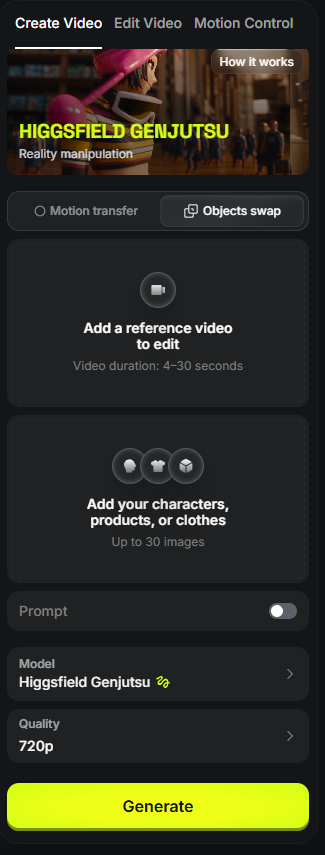
> ⚠️ Note: You only get one free try on your first use — make it count! process is simple : step 1 : download my video from instagram :

step 2 : go to https://higgsfield.ai/ go to video generation
step 3 : upload the refrence video and you charchter sheet do this settings
u have only one free try at first usage ! enjoy with it
AI tools · @chouaib.ai5